

背景:yml配置文件中,需要配置数据库、redis等密码,明文存储的话,如果jar包需要交给别人部署,万一jar包泄漏,容易泄漏密码,这里可以在yml中配置密文的密码,服务启动的时候,使用环境变量或者系统参数的方式配置密码即可
1、GAV座标
        <dependency>
            <groupId>com.github.ulisesbocchio</groupId>
            <artifactId>jasypt-spring-boot-starter</artifactId>
            <version>3.0.5</version>
        </dependency>
2、配置加密信息
我这里使用java配置类的方式做配置
package com.wss.wssdemo.config;

import org.jasypt.encryption.StringEncryptor;
import org.jasypt.encryption.pbe.PooledPBEStringEncryptor;
import org.jasypt.encryption.pbe.config.SimpleStringPBEConfig;
import org.springframework.context.annotation.Bean;
import org.springframework.context.annotation.Configuration;

@Configuration
public class JasyptConfig {

    @Bean
    public StringEncryptor stringEncryptor() {
        // 获取密码的方式,这里可以自定义
        String pwd = System.getProperty("jasypt.encryptor.password");
        PooledPBEStringEncryptor encryptor = new PooledPBEStringEncryptor();
        SimpleStringPBEConfig config = new SimpleStringPBEConfig();
        config.setPassword(pwd); // 动态获取密码
        config.setAlgorithm("PBEWITHHMACSHA512ANDAES_256");
        config.setPoolSize("1");
        config.setSaltGeneratorClassName("org.jasypt.salt.RandomSaltGenerator");
        config.setIvGeneratorClassName("org.jasypt.iv.RandomIvGenerator");
        config.setStringOutputType("base64");
        encryptor.setConfig(config);
        return encryptor;
    }

}
3、yml配置
密文放入:ENC(密文)
如:
wss:
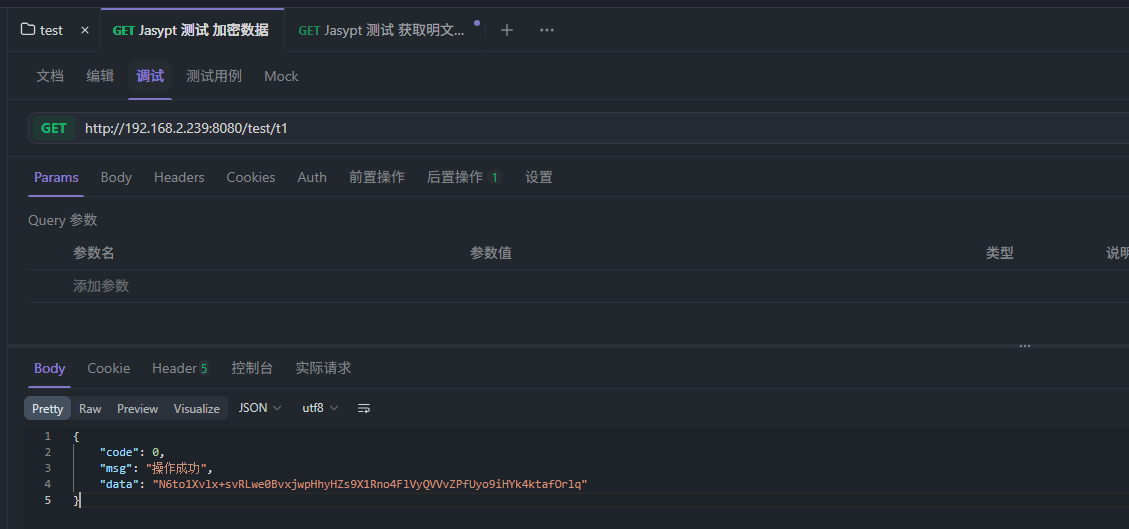
  a: ENC(N6to1Xvlx+svRLwe0BvxjwpHhyHZs9X1Rno4FlVyQVVvZPfUyo9iHYk4ktafOrlq)
# 密钥配置方式:-Djasypt.encryptor.password=0123456789123456
4、使用
package com.wss.wssdemo.controller;

import com.wss.common.core.result.R;
import org.jasypt.encryption.StringEncryptor;
import org.springframework.beans.factory.annotation.Autowired;
import org.springframework.beans.factory.annotation.Value;
import org.springframework.web.bind.annotation.GetMapping;
import org.springframework.web.bind.annotation.RequestMapping;
import org.springframework.web.bind.annotation.RestController;

@RestController
@RequestMapping(value = "/test")
public class TestController {

    @Autowired
    private StringEncryptor stringEncryptor;


    @Value("${wss.a}")
    private String p1;

    /**
     * 加密明文
     * @return
     */
    @GetMapping(value = "t1")
    public R<?> t1(){
        return R.ok(stringEncryptor.encrypt("123456"));
    }

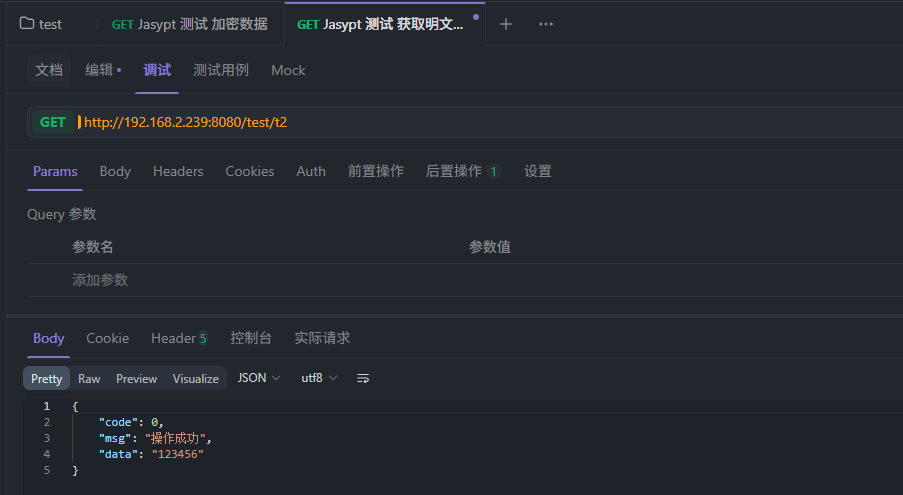
    /**
     * 获取明文,系统自动解密
     * @return
     */
    @GetMapping(value = "t2")
    public R<?> t2(){
        return R.ok(p1);
    }
}
5、启动参数中配置密钥
-Djasypt.encryptor.password=0123456789123456
java -Djasypt.encryptor.password=0123456789123456 -jar wss-demo.jar
6、测试